Home Lab Beginners guide(linuxblog.io)
linuxblog.io
Home Lab Beginners guide
https://linuxblog.io/home-lab-beginners-guide-hardware/
387 comments
The article is good, but it is intimidating buy its size and scope. A homelab could be a single NUC on a desk. I have one with 64GB RAM and it could fit so so many things. NUCs are very efficient to run 24/7, but become noisy with sustained CPU load. For that one could grow the setup with OptiPlex or Precision Tower (can haz ECC) SFF from eBay. These Dell SFFs are very good, quite small yet proper desktops/servers with proper quiet fans, could fit 10G Mellanox 3 cards (also from eBay for $40), and you could stack one on top of another horizontally. Don't go older than OptiPlexes with 12th gen CPUs, electricity and space they take could become a constraint. The used ones with i5-12500 are already very cheap. With LGA1700 one could put i9-14900 (non-K) there if needed.
A bit of a tangent but I want to sing the praises of Proxmox for home servers. I've run some sort of Linux server in my home for 25 years now, always hand-managing a single Ubuntu (or whatever) system. It's a huge pain.
Proxmox makes it very easy to have multiple containers and VMs on a single hardware device. I started by just virtualizing the one big Ubuntu system. Even that has advantages: backups, high availability, etc. But now I'm starting to split off services into their own containers and it's just so tidy!
Proxmox makes it very easy to have multiple containers and VMs on a single hardware device. I started by just virtualizing the one big Ubuntu system. Even that has advantages: backups, high availability, etc. But now I'm starting to split off services into their own containers and it's just so tidy!
I know it's becoming the new "I use arch btw" meme but if you go down this route I highly recommend using nix as the distro. Ideally you can just leave these systems running once they're working and using nix means all your system state is logged in git. No more "wait, how did I fix that thing 6mo ago?" or having to manually put the system back together after a Ubuntu dist upgrade explodes. Every change you've made, package you've installed, and setting you've configured is in the git log.
I find myself referring to my git repo frequently as a source of documentation on what's installed and how the systems are set up.
I find myself referring to my git repo frequently as a source of documentation on what's installed and how the systems are set up.
> Location
For a few years I put mine inside an IKEA FRIHETEN sofa (the kind that just pulls†).
†† that I conveniently routed to a corner in the back then hidden in the wall to the nearest plugs, so really invisible in practice.
For a few years I put mine inside an IKEA FRIHETEN sofa (the kind that just pulls†).
    Pros:
    - easy access
    - completely invisible save for 1 power wire + 1 fiber (WAN) + 1 eth (LAN)††
    - structure allows easy cable routing out (worst case you punch a hole on the thin low-end)
    - easy layout/cable routing inside
    - noise reduction for free
    - doubles as warming in winter a seated butt is never cold
    - spouse enjoys zero blinkenlights
    - spouse didn't even notice I bought a UPS + a disk bay

    Cons:
    - a bit uncomfortable to manipulate things inside
    - vibrations (as in, spinning rust may not like it) when sitting/seated/opening/closing
    - heat (was surprisingly OK, not worse than a closet)
    - accidental spillage risks (but mostly OK as design makes it flow around, not inside the container, worst case: put some raisers under hardware)
    - accidental wire pull e.g when unsuspecting spouse is moving furniture around for housecleaning (give'em some slack)

†† that I conveniently routed to a corner in the back then hidden in the wall to the nearest plugs, so really invisible in practice.
The whole home lab scene is great.
Everyone has some set of goals... low power, interesting processors, data ownership, HA, UPS/whole home UPS... and the home is the only common intersection of all these overlapping interests, and bits of software. Even more fascinating is the types of people it attracts, from professionals playing to people far outside the industry.
I have really taken the plunge and it recaptures some of the magic of the early internet (at least for me).
Everyone has some set of goals... low power, interesting processors, data ownership, HA, UPS/whole home UPS... and the home is the only common intersection of all these overlapping interests, and bits of software. Even more fascinating is the types of people it attracts, from professionals playing to people far outside the industry.
I have really taken the plunge and it recaptures some of the magic of the early internet (at least for me).
As an alternative perspective, this is my home lab:
* Location: Sitting on a shelf in my basement office. Ventilation is okay, the WiFi is fine but not great.
* Hardware: An old PC I picked up at a neighborhood swap meet. I added some RAM taken from another old PC and bought a hard drive and WiFi card.
* Software: Debian stable and podman/podman-compose. All my useful services are just folders with compose files. I use podman-compose to turn them into systemd units.
If the stuff in the article is the kind of thing you're into, that's awesome, go ham! But you absolutely do not need to ever, and you certainly do not need to do it right away. I run a bunch of services that my family uses daily on this thing, and we use less than half the 16GB RAM and never get over 5% CPU usage on this old, ~free PC.
* Location: Sitting on a shelf in my basement office. Ventilation is okay, the WiFi is fine but not great.
* Hardware: An old PC I picked up at a neighborhood swap meet. I added some RAM taken from another old PC and bought a hard drive and WiFi card.
* Software: Debian stable and podman/podman-compose. All my useful services are just folders with compose files. I use podman-compose to turn them into systemd units.
If the stuff in the article is the kind of thing you're into, that's awesome, go ham! But you absolutely do not need to ever, and you certainly do not need to do it right away. I run a bunch of services that my family uses daily on this thing, and we use less than half the 16GB RAM and never get over 5% CPU usage on this old, ~free PC.
I have a rather extensive homelab, painstakingly set up over time. It works great, I love it. Few questions for you guys:
- My real problem is disaster recovery. It would take me forever to replicate everything, if I could even remember it all. Router configurations, switch configurations, NAS, all the various docker containers scattered across different vlans, etc. I mapped out my network early on but failed to keep it up to date over time. Is there a good tool to draw, document, and keep up-to-date diagrams of my infra?
- Backup and upgrading is also a persistent problem for me. I will often set up a container, come back to it 6 months later, and have no idea what I did. I have dozens of containers scattered across different machines (NUCs, NAS, desktops, servers, etc). Every container service feels like it has its own convention for where the bind mounts need to go, what user it should be run as, what permissions etc it needs. I can't keep track of it all in my head, especially after the fact. I just want to be able to hit backup, restore, and upgrade on some centralized interface. It makes me miss the old cattle days with VM clone/snapshot. I still have a few VMs running on a proxmox machine that is sort of close, but nothing like that for the entire home lab.
I really want to get to a point, or at least move towards a solution where I could in theory, torch my house and do a full disaster recovery restore of my entire setup.
There has to be something simpler than going full kubernetes to manage a home setup. What do you guys use?
- My real problem is disaster recovery. It would take me forever to replicate everything, if I could even remember it all. Router configurations, switch configurations, NAS, all the various docker containers scattered across different vlans, etc. I mapped out my network early on but failed to keep it up to date over time. Is there a good tool to draw, document, and keep up-to-date diagrams of my infra?
- Backup and upgrading is also a persistent problem for me. I will often set up a container, come back to it 6 months later, and have no idea what I did. I have dozens of containers scattered across different machines (NUCs, NAS, desktops, servers, etc). Every container service feels like it has its own convention for where the bind mounts need to go, what user it should be run as, what permissions etc it needs. I can't keep track of it all in my head, especially after the fact. I just want to be able to hit backup, restore, and upgrade on some centralized interface. It makes me miss the old cattle days with VM clone/snapshot. I still have a few VMs running on a proxmox machine that is sort of close, but nothing like that for the entire home lab.
I really want to get to a point, or at least move towards a solution where I could in theory, torch my house and do a full disaster recovery restore of my entire setup.
There has to be something simpler than going full kubernetes to manage a home setup. What do you guys use?
Since last year I’ve been configuring and maintaining my homelab setup and it is just amazing.
I’ve learned so much about containers, virtual machines and networking. Some of the self hosted applications like paperless-ngx [1] and immich [2] are much superior in terms of features than the proprietary cloud solutions.
With the addition of VPN services like tailscale [3] now I can access my homelab from anywhere in the world.
The only thing missing is to setup a low powered machine like NUC or any mini PC so I can offload the services I need 24/7 and save electricity costs.
If you can maintain it and have enough energy on weekends to perform routine maintenance and upgrades. I would 100% recommend setting up your own homelab.
[1] https://docs.paperless-ngx.com/ [2] https://immich.app/ [3] https://tailscale.com/
I’ve learned so much about containers, virtual machines and networking. Some of the self hosted applications like paperless-ngx [1] and immich [2] are much superior in terms of features than the proprietary cloud solutions.
With the addition of VPN services like tailscale [3] now I can access my homelab from anywhere in the world.
The only thing missing is to setup a low powered machine like NUC or any mini PC so I can offload the services I need 24/7 and save electricity costs.
If you can maintain it and have enough energy on weekends to perform routine maintenance and upgrades. I would 100% recommend setting up your own homelab.
[1] https://docs.paperless-ngx.com/ [2] https://immich.app/ [3] https://tailscale.com/
If your homelab gear is in a non-tech-nerd living space, also think about noise, lights/displays, and otherwise being discreet.
As an apartment-dweller, for a long time I had it in a closet. Once I moved it to living room, my solutions included:
* For discreet, IKEA CORRAS cabinet that matched my other furniture. I had rackmount posts in it before, but got rid of them because they protruded.
* For noise, going with gear that's either fanless, or can be cooled with a small number of Noctua fans. (I also replace the fans in 1U PSUs with Noctuas, which requires a little soldering and cursing.) I tend to end up with Atom servers that can run fanless in a non-datacenter except for the PSU.
* Also for noise, since my only non-silent server right now is the 3090 GPU server, I make that one spin up on demand. In this case, I have a command I can run from my laptop to Wake-on-LAN. But you could also use IPMI, kludge something with a PDU or IoT power outlet, find a way to spin down the 3090 and fans in software, make Kubernetes automate it, etc.
* For lights, covering too-bright indicator LEDs with white labelmaker tape works well, and looks better than you'd think. Black labelmaker tape for lights you don't need to see.
* For console, I like the discreet slide-out rack consoles, especially the vintage IBM ones with the TrackPoint keyboards. If I was going to have a monitoring display in my living room, I'd at least put the keyboard in a slide-out drawer.
* I also get rid of gear I don't need, or I'd need more than twice the rack space I currently have, and it would be harder to pass as possibly audiophile gear in the living room.
* For an apartment, if you don't want to play with the router right now (just servers), consider a plastic OpenWRT router. It can replace a few rack units of gear (router, switch, patch panel), and maybe you don't even need external WiFi APs and cabling to them.
As an apartment-dweller, for a long time I had it in a closet. Once I moved it to living room, my solutions included:
* For discreet, IKEA CORRAS cabinet that matched my other furniture. I had rackmount posts in it before, but got rid of them because they protruded.
* For noise, going with gear that's either fanless, or can be cooled with a small number of Noctua fans. (I also replace the fans in 1U PSUs with Noctuas, which requires a little soldering and cursing.) I tend to end up with Atom servers that can run fanless in a non-datacenter except for the PSU.
* Also for noise, since my only non-silent server right now is the 3090 GPU server, I make that one spin up on demand. In this case, I have a command I can run from my laptop to Wake-on-LAN. But you could also use IPMI, kludge something with a PDU or IoT power outlet, find a way to spin down the 3090 and fans in software, make Kubernetes automate it, etc.
* For lights, covering too-bright indicator LEDs with white labelmaker tape works well, and looks better than you'd think. Black labelmaker tape for lights you don't need to see.
* For console, I like the discreet slide-out rack consoles, especially the vintage IBM ones with the TrackPoint keyboards. If I was going to have a monitoring display in my living room, I'd at least put the keyboard in a slide-out drawer.
* I also get rid of gear I don't need, or I'd need more than twice the rack space I currently have, and it would be harder to pass as possibly audiophile gear in the living room.
* For an apartment, if you don't want to play with the router right now (just servers), consider a plastic OpenWRT router. It can replace a few rack units of gear (router, switch, patch panel), and maybe you don't even need external WiFi APs and cabling to them.
I'm older than 30 so I just call this having a home network and more than one computer.
Why do I have a home network? Like many here, I develop network applications. I'm not a network technician, but being able to truly understand how the various components of the internet work, like TCP/IP, DNS etc., is really useful and sets me apart from many developers. I also just like being in control and having the flexibility to do what I want with my own network.
Why do I have multiple computers? Playing with different operating systems etc. isn't really the reason as virtualisation is pretty good these days. It actually comes down to locality of the machines. I want my hard disks to be in a cupboard as they are quite noisy, but I want my screens and keyboard to be on a desk. So I've got a NAS in a cupboard and a (quiet) PC at my desk, plus a (silent) media centre in my living room and other stuff.
One thing I would say is don't be tempted by rack mounted server gear. Yeah, it looks cool and you can get it second hand for not much, but this isn't suitable for your home. Use desktop PC cases with big fans instead. Rack mounted network gear is pretty cool, though.
Why do I have a home network? Like many here, I develop network applications. I'm not a network technician, but being able to truly understand how the various components of the internet work, like TCP/IP, DNS etc., is really useful and sets me apart from many developers. I also just like being in control and having the flexibility to do what I want with my own network.
Why do I have multiple computers? Playing with different operating systems etc. isn't really the reason as virtualisation is pretty good these days. It actually comes down to locality of the machines. I want my hard disks to be in a cupboard as they are quite noisy, but I want my screens and keyboard to be on a desk. So I've got a NAS in a cupboard and a (quiet) PC at my desk, plus a (silent) media centre in my living room and other stuff.
One thing I would say is don't be tempted by rack mounted server gear. Yeah, it looks cool and you can get it second hand for not much, but this isn't suitable for your home. Use desktop PC cases with big fans instead. Rack mounted network gear is pretty cool, though.
IMO one of the biggest frustration I currently have with homelab-scale gear (and edge compute in general) is how everything has massively regressed to only offering 2.5gbit connectivity at best.
Try to find one of these hundreds of small form factor products that has anything faster than a 2.5Gbit nic and despair! What good are these machines if you cant even get data in and out of them?!
The list of hardware with 2x10GBe or better connectivity is amazingly short:
Try to find one of these hundreds of small form factor products that has anything faster than a 2.5Gbit nic and despair! What good are these machines if you cant even get data in and out of them?!
The list of hardware with 2x10GBe or better connectivity is amazingly short:
  - Minisforum MS-01
  - GoWin RS86S*, GW-BS-1U-*
  - Quotom Q20331G\*
  - Mac Mini (1x10gbaseT option, ARM, )
  - HPE Z2 Mini\* (1x10GbaseT option)
  Minimum of 2 NVMe
  Minimum of 2 additional storage devices (SATA or more NVMe)
  Minimum of 2 10GbE
  Dedicated or shared IMPI/OOBM
  Minimum of 8 Core x86 CPU
  Minimum of 64GB RAM
>For this article’s purpose, I won’t recommend any specific servers because this will vary a ton depending on what you will be hosting. NAS storage, VMs, web servers, backup servers, mail servers, ad blockers, and all the rest. For my requirements, I purchased a ThinkCentre M73 and ThinkCentre M715q; both used off eBay.
This is the way. HP, Lenovo, and Dell are all making identical small form factor PCs that are more than enough for most people at home. They are also very silent and power efficient.
I have a Lenovo M720 Tiny and a Dell Optiplex 3080 Micro (they are virtually almost the same). You can change parts, there are ample ports available and you can pretty much run any OS you want.
This is the way. HP, Lenovo, and Dell are all making identical small form factor PCs that are more than enough for most people at home. They are also very silent and power efficient.
I have a Lenovo M720 Tiny and a Dell Optiplex 3080 Micro (they are virtually almost the same). You can change parts, there are ample ports available and you can pretty much run any OS you want.
This article has such a focus on hardware, when that's like... 1% of my homelab decision making.
Was hoping this article would delve into hosting your own email, websites and services and the steps to expose them to the public internet (as well as all the requisite security considerations needed for such things).
A homelab is just a normal PC unless you're doing homelab stuff.
Was hoping this article would delve into hosting your own email, websites and services and the steps to expose them to the public internet (as well as all the requisite security considerations needed for such things).
A homelab is just a normal PC unless you're doing homelab stuff.
I recently bought an old Mac Pro 2013 (trashcan) with 12 cores/24 threads and 128 GB ECC RAM for my upgraded "always-on" machine - total cost $500. Installed Ubuntu 22.04, works out of the box (23.10 had some issues). Unfortunately it's hard/impossible to completely suspend/disable the two internal AMD Radeon GPUs to lower power consumption. I got it down to ~99W consumption when idle, when using "vgaswitcheroo" to suspend one of the GPUs (and it set the other one to D3hot state). My Intel NUC consumes almost nothing when idle (my UPS reports 0 W output while its running, even with 4 NVMe disks attached via a Thunderbolt enclosure). I don't want a 100W heat generator running 24x7, especially when I'm away from home, so will need to stick with the NUC...
I get an electronics workbench or a woodworking workshop, but I still don’t quite understand the purpose of this „home lab“. You can just run stuff on your laptop, or a mini computer in some corner if it’s supposed to run 24/7?
Surprised author didn't mention https://labgopher.com/ for finding used enterprise hardware at low cost on ebay. This hardware is cheap and typically out-of-service for enterprise, but great for home labs.
The notion of a homelab is really, more of a suggestion. I have, what you might call, a "homeprod."
"Be aware, the video server and sync server will be offline between the hours of 8PM and 10PM on Friday, March 8th for hardware upgrades. Expected downtime should not be more than 20 minutes but please plan around this disruption to essential services. Other services should not be affected during this work."
Like someone else mentioned in this thread: It was really best described as a "home network with more than one computer." But you can't really put that on your C.V. under "experience."
"Improved SLA uptime on client's network to five nines. Upgraded storage controllers in a live environment without disruption to established services. Deployed k8s cluster into a production environment serving thousands of hours of compressed video files with real-time format transcoding."
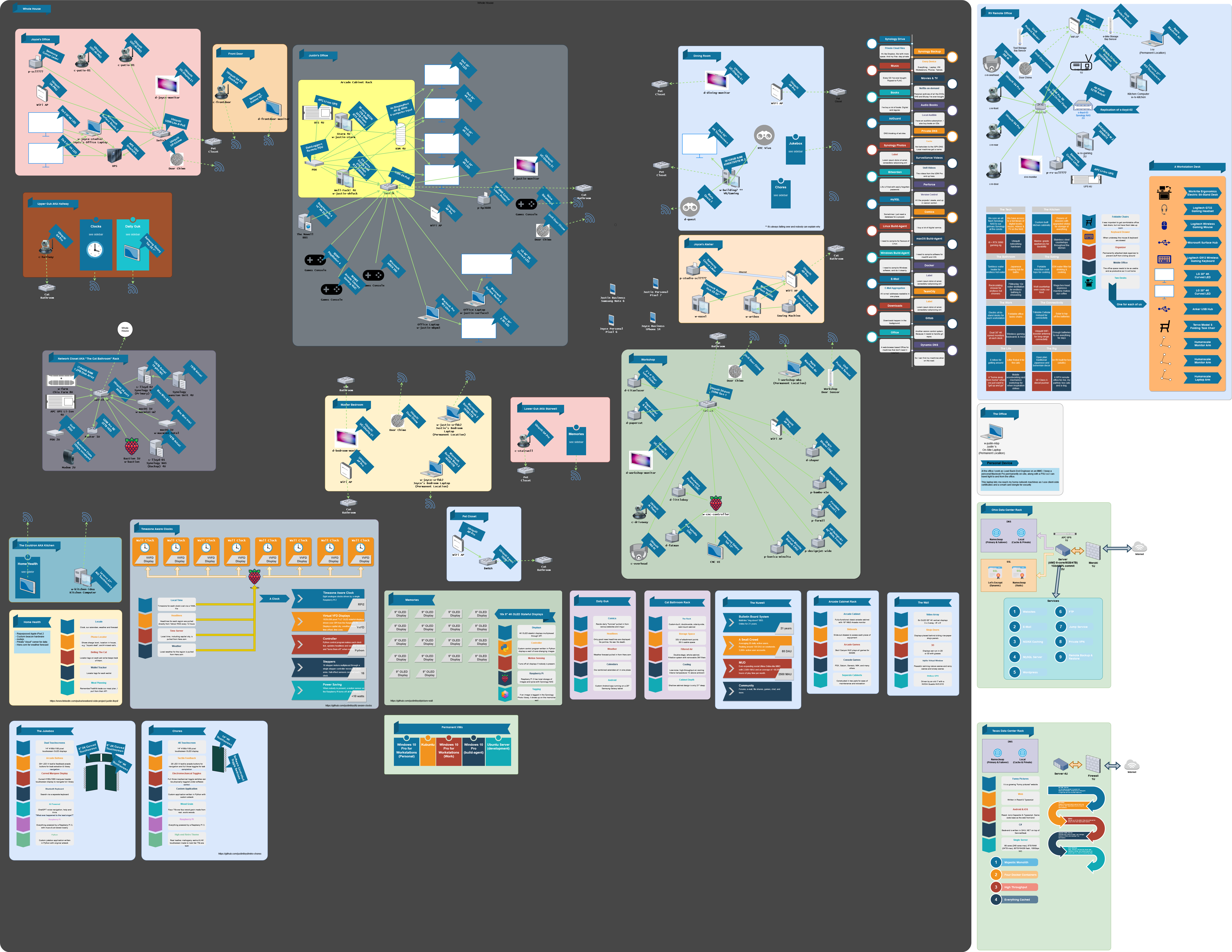
I will freely admit, my home network probably needs to be pared down a bit. The problem is the salvaged hardware and good deals at the liquidation auctions accumulates faster than I can cart it off to the street corner. There's also far too many laptops floating around the house doing nothing useful that could be donated away. A lot of the homelab is salvage or bought at (in-person) liquidation auctions. There's some new stuff, but I rarely need the latest and greatest for my setup. In my home network diagram I try to document everything that touches the network so I can stay on top of the security patches, and what has access to the outside world and in what way.
https://justinlloyd.li/wp-content/uploads/2023/11/home-netwo...
"Be aware, the video server and sync server will be offline between the hours of 8PM and 10PM on Friday, March 8th for hardware upgrades. Expected downtime should not be more than 20 minutes but please plan around this disruption to essential services. Other services should not be affected during this work."
Like someone else mentioned in this thread: It was really best described as a "home network with more than one computer." But you can't really put that on your C.V. under "experience."
"Improved SLA uptime on client's network to five nines. Upgraded storage controllers in a live environment without disruption to established services. Deployed k8s cluster into a production environment serving thousands of hours of compressed video files with real-time format transcoding."
I will freely admit, my home network probably needs to be pared down a bit. The problem is the salvaged hardware and good deals at the liquidation auctions accumulates faster than I can cart it off to the street corner. There's also far too many laptops floating around the house doing nothing useful that could be donated away. A lot of the homelab is salvage or bought at (in-person) liquidation auctions. There's some new stuff, but I rarely need the latest and greatest for my setup. In my home network diagram I try to document everything that touches the network so I can stay on top of the security patches, and what has access to the outside world and in what way.
https://justinlloyd.li/wp-content/uploads/2023/11/home-netwo...
> Attic
> Pros: Less noise, easier cable runs.
> Cons: can get hot depending on where you live, roof leaks, humidity/condensation, and creepy at night.
Where do attics not get hot? I live in northern climate, and ours regularly gets hotter than 140F during sunny summer days.
And I say hotter, because the remote temp sensor I have up there maxes out at 140F. I wouldn't be surprised if it actually gets up to 150F or more.
> Pros: Less noise, easier cable runs.
> Cons: can get hot depending on where you live, roof leaks, humidity/condensation, and creepy at night.
Where do attics not get hot? I live in northern climate, and ours regularly gets hotter than 140F during sunny summer days.
And I say hotter, because the remote temp sensor I have up there maxes out at 140F. I wouldn't be surprised if it actually gets up to 150F or more.
If someone made a UPC in the form factor of a laptop battery, we could be off to the races. I thought a laptop battery would be good for this, but they do bad things if you leave them plugged in all the time.
No reason to go crazy with your home server if it is only you using it. You can get away with a crappy laptop that your roommate is done with.
No reason to go crazy with your home server if it is only you using it. You can get away with a crappy laptop that your roommate is done with.
Unless you simply want to play with all the various bits of hardware, a standard PC tower will be more power efficient and save a lot of room. I use that with unRaid and a simple router and switch and it's power efficient, doesn't make much noise, cheaper, and takes up much less room.
If you're old and grumpy[1] and don't want a homelab but paradoxically want homelab functionality, I can't recommend the Firewalla[2] enough. And heck, it would fit right into a homelab situation, as well.
It allows you to go deep into settings and configure anything to your heart's content. But, if you want to ignore it for a year and not mess with it, it will run as smoothly as an Eero or a similar consumer product like that.
I have a Purple model[3]. I initially balked at the price, but it performs well, and there hasn't been a single day in the past couple years where I've regretted it or looked at something else.
It supports just about any router feature. Has robust and easy to configure device/family profiles. The quality of the Firewalla software and the mobile app is excellent.
---
1. I manage a quite large WAN during the day. I don't want to do it at night, too.
2. https://firewalla.com/
3. https://firewalla.com/products/firewalla-purple
It allows you to go deep into settings and configure anything to your heart's content. But, if you want to ignore it for a year and not mess with it, it will run as smoothly as an Eero or a similar consumer product like that.
I have a Purple model[3]. I initially balked at the price, but it performs well, and there hasn't been a single day in the past couple years where I've regretted it or looked at something else.
It supports just about any router feature. Has robust and easy to configure device/family profiles. The quality of the Firewalla software and the mobile app is excellent.
---
1. I manage a quite large WAN during the day. I don't want to do it at night, too.
2. https://firewalla.com/
3. https://firewalla.com/products/firewalla-purple
It'd be so cool if we could have permanent routable IPv6 addresses for every machine. Home Labs would become 1000x more useful, and I bet Digital Ocean and similar would see an exodus of small site hosters like me
I'll go against the grain and recommend running your lab on Windows 11 Pro and Hyper V (often included with reclaimed PCs). Hyper-V is a very capable hypervisor and Windows hardware compatibility is excellent. Remote mgmt can be done over RDP, SSH or WMI
Nearly everyone has a spare PC lying around collecting dust, and within an hour it can be running a dozen VMs . Reclaimed HP & Dells are cheap and include a Windows Pro license. otherwise they can be had for $20
I recommend Alpine for the guest OS. It's fast to set up, natively supports Hyper-V hosts and compact (about 1/10th the size of a debian guest).
https://learn.microsoft.com/en-us/windows-server/virtualizat...
https://wiki.alpinelinux.org/wiki/Hyper-V_guest_services
Nearly everyone has a spare PC lying around collecting dust, and within an hour it can be running a dozen VMs . Reclaimed HP & Dells are cheap and include a Windows Pro license. otherwise they can be had for $20
I recommend Alpine for the guest OS. It's fast to set up, natively supports Hyper-V hosts and compact (about 1/10th the size of a debian guest).
https://learn.microsoft.com/en-us/windows-server/virtualizat...
https://wiki.alpinelinux.org/wiki/Hyper-V_guest_services
Tiny PC's make excellent low-power servers for lots of purposes, but personally in the end I just decided to build my own desktop PC from cheapish previous gen parts to have more flexibility. Now I have an AM4 consumer board based system with 8 core Ryzen 7, more ECC ram than I will ever need, 4 enterprise grade SSD's with ZFS, intel NIC, and RTX 3060 for some AI experimentation. Thanks to efficient PSU choice the whole thing idles at just 30W running Linux, about 10 of which is due to the dedicated GPU. I should be even able to game on it through GPU passthrough to Proxmox VM, though I haven't tried it yet.
For networking I can recommend Fujitsu Futro S920 thin clients, especially for EU users. They are dirt cheap here, and with aftermarket riser & intel NIC they are great routers with opnsense/pfsense. Apart from that, I have a couple of raspberry pi's running dedicated tasks, and space heaters (e-waste tier enterprise desktops) running BOINC during coldest months.
For networking I can recommend Fujitsu Futro S920 thin clients, especially for EU users. They are dirt cheap here, and with aftermarket riser & intel NIC they are great routers with opnsense/pfsense. Apart from that, I have a couple of raspberry pi's running dedicated tasks, and space heaters (e-waste tier enterprise desktops) running BOINC during coldest months.
At the risk of yucking others' yum; I wish there was more of an effort to get people to do this sort of thing without buying new equipment (including perhaps the reduction of of the idea that you need/want a "rack")
There are just SO MANY perfectly good computers that are bound to be e-waste that would be good for this.
There are just SO MANY perfectly good computers that are bound to be e-waste that would be good for this.
Alternatively, If you don't fancy patching your own cables you can get female to female RJ45 keystone jacks which use plugged / crimped cables. The longer cable run is plugged in behind the patch panel, and a shorter cable in front to keep your cabinet or rack clean.
I run a more mundane setup using the most possible boring choices (lol) and it's been reliable. I occasionally restart random things and pull network cables to fuck with it to make sure that it can recover.
* Hardware: A regular but small (SFF) computer + Synology NAS
* Software: Ubuntu distro + Docker containers bare
* Configuration: Git-versioned Dockerfiles and docker-compose.ymls
* Storage: The NAS with Synology Hybrid RAID
* Backup: TBD... haven't figured out a cheap and automatic way to backup 20 TB of data off-site
I run cameras, a media server shared with friends, a shared place to dump project files, a DNS server (just in case the Internet goes down so that everything local still works) and supporting services.
* Hardware: A regular but small (SFF) computer + Synology NAS
* Software: Ubuntu distro + Docker containers bare
* Configuration: Git-versioned Dockerfiles and docker-compose.ymls
* Storage: The NAS with Synology Hybrid RAID
* Backup: TBD... haven't figured out a cheap and automatic way to backup 20 TB of data off-site
I run cameras, a media server shared with friends, a shared place to dump project files, a DNS server (just in case the Internet goes down so that everything local still works) and supporting services.
One bit of guidance I've been trying to figure out is this: how does one properly segment one's homelab to be able to firewall potentially dangerous stuff (e.g. IoT gear, hosting publicly-available websites via Cloudflare tunnels or something, all while running on the usual "virtualize all workloads" thing with Docker/Proxmox, etc)?
The best I've come up with so far is segmentation via VLANs, then adding many rules to deal with inter-VLAN reachability (e.g. should it be forced to transit to the firewall and back? Can my laptop reach out to the IoT devices, even if I block connections in the reverse direction?).
Beyond this, I'm not sure how to best handle similar segmentation on my few servers (all running proxmox), e.g. whether to expose VLANs to the VMs (which I kinda need to do for the pfsense firewall, maybe?).
The biggest thing is how to keep these network configs in sync, e.g. when adding a new VLAN, etc. I basically have an Org file that I write all this down, but I'm guessing there's a better way.
Also, if anyone wants a cheaper alternative to Ubiquiti, Mikrotik has served me well for years. I'm considering switching to Ubiquiti stuff though, as they seem to have a solution to synchronize state between multiple switches that is much better (vs. manually using Winbox on each individual router).
The best I've come up with so far is segmentation via VLANs, then adding many rules to deal with inter-VLAN reachability (e.g. should it be forced to transit to the firewall and back? Can my laptop reach out to the IoT devices, even if I block connections in the reverse direction?).
Beyond this, I'm not sure how to best handle similar segmentation on my few servers (all running proxmox), e.g. whether to expose VLANs to the VMs (which I kinda need to do for the pfsense firewall, maybe?).
The biggest thing is how to keep these network configs in sync, e.g. when adding a new VLAN, etc. I basically have an Org file that I write all this down, but I'm guessing there's a better way.
Also, if anyone wants a cheaper alternative to Ubiquiti, Mikrotik has served me well for years. I'm considering switching to Ubiquiti stuff though, as they seem to have a solution to synchronize state between multiple switches that is much better (vs. manually using Winbox on each individual router).
Shameless plug, but if you're looking for awesome software to run in your home lab, I've got just the thing:
https://awsmfoss.com
The quality of software out there these days is insane -- there are projects that cover so many crucial functions (tracking expenses, playing music, managing data, etc), that it's becoming really hard to track them all.
I've been working on converting the site to a directory and it's not quite there yet -- but some people do like the massive wall of projects.
https://awsmfoss.com
The quality of software out there these days is insane -- there are projects that cover so many crucial functions (tracking expenses, playing music, managing data, etc), that it's becoming really hard to track them all.
I've been working on converting the site to a directory and it's not quite there yet -- but some people do like the massive wall of projects.
This looks really cool, but the title has to be a joke right? This is not 'beginner'.
I have a beginner setup: a single NUC and a cheap NAS with NFS.
I have yet to come across something that this setup cannot handle.
I have a beginner setup: a single NUC and a cheap NAS with NFS.
I have yet to come across something that this setup cannot handle.