Modal? The various input modes. Think of them as if you're using vi/vim, except that it's a terminal. Insert mode is just like every other terminal. Press Ctrl+Shift+Space to move to normal mode (configurable) and use many of the vim motions you know to navigate through your history. The supported keys go way beyond what Termite and Alacritty implement. You might find that you'll never need a mouse again (or almost never). For anything that's missing, please file a ticket, and we're going to work on that.
> Certainly I’ve wished the things I run in it were faster, but that’s a different story.
I absolutely agree. Most of the performance metrics that people talk about is beyond visual perception anyways. In Contour we've only done some optimizations the way we did it because it was actually fun to implement, and a nice little challenge.
While I myself feel like i'm pretty much hard-lining into the terminal, I accept that some things are better left to the GUI world, e.g. daily web-browsing I should not be forced to use w3m or the likes. :)
This is interesting. I am trying not to feel offended by your toxic play, so let's get started:
> kitty's graphics protocol is literally infinitely faster than sixels for local transmission
Let's get the comparison right here (not apples with pies), Kitty graphics over the PTY wire is slower than Sixel over the PTY wire. Kitty supports bypassing the PTY by just referencing to a file locally present on the file system or using n SHM region on the local memory. Both solutions won't work over the internet, because they break the VT I/O model. But you are right, when bypassing the wire, it'll be faster. That sadly limits you to local-only use.
> literally infinitely faster
I wonder what your math behind this is :-P
> taking into account that kitty's graphics protocol supports 32bit colors, unlike sixel
Sixel is using a palette to define the colors to reference from. This pallete can be either in Hue or in RGB format. Of course, the palette has limited amount of entries (which can be queried), but during the image transmittion, just adjust your palette, to get a breader range of colors to chose from. It's still RGB, or to be more precise RRGGBB (8-bit red/green/blue components, which makes it 24-bit. I wonder if what you mean with 32-bit colors other than 24-bit colors plus 8-bit alpha. Alpha values is something that is not supported by sixel (wrong age for Sixels :D), but still it is possible to render images that do not cover only rectangular parts. For example that image here: https://contour-terminal.org/screenshots/contour-notcurses-n... - look at the logo. But I agree, semi-transarent images are not possible using Sixels. But then, you probably want to use a GUI then :)
This doesn't make sense. WebGL is as GPU accelerated as the other young'ish GPU accelerated terminals, except that they're not running in the browser, which should(tm) make them run faster.
On the other hand, rendering is just one thing to benchmark, there is input latency (already mentioned in this thread here somewhere), but also (terminal / PTY) bandwidth throughput. This is three categories where 2 of the 3 are not related to "GPU acceleration" at all. :)
Hey, we are using Qt only on the pure frontend GUI side. The rendering itself is using FreeType + HarfBuzz independantly of the GUI.
We chose this model explicitly to still be free to replace Qt with something else in the future - iff we have to.
The reason behind that decision is, that we actually started with GLFW3, and epically failed, because GLFW3's input model was inferior and the API that I needed was actually marked deprecated by the GLFW3 devs and they also stated that their input model is not good and needs a rework. That led me to the decision to look around and find something else.
I only wanted to keep the GUI framework dependency as minimal as possible.
We sadly do not have BiDi support just yet, I'd actually love to have that. So far I only know of 2 terminals capable of this: mlterm and gnome-terminal.
Unfortunatily I lag the skills of hacking this in except doing it naively. I'd be more than happy for external contributors knowledgable enough in the domain of BiDi, to help us out here. :)
To be honest, refterm was a bad idea to begin with. It's not a terminal, and it eventually also stated that in its README.md. Not to mention, that you - by definition - can't compare apples with pies. refterm is not a terminal and thus cannot be compared with a terminal WRT speed. It simply prove a point on rendering speed, at a cost of breaking a lot of the rules a terminal emulator has to obey to. Most notably is `DECAWM` (DEC Auto-Wrap Mode) that was not properly implemented. The author once stated in a Twitch stream that he simply didn't understand that and thus skipped that part. However, that is the part where it will get complex (and thus slow) if you want to get it right for non-trivial US-ASCII characters, such as complex grapheme clusters (family Emoji most interestingly) or even VS16 (variation selector changing the width of the base code point from narrow to wide). The latter point isn't standardized by DEC anyways, but the younger terminals all try to make the terminal more appealing to the younger Unicode crowd that do expect complex Unicode to render "just fine" (or "as fine as it gets"). refterm also had a hard coded 4k line length limit and just hard-cut off there instead of properly counting for the wrap.
TL;DR refterm (while positively inspirational to a few) was harmful to the terminal community, because it was fooling a lot of people with false metrics that the users simply believed in, without questioning.
simply put, yes. but I know very well that performance can be measured in many different dimensions and ways. I optimize for speed for my own personal use-cases (vim should be fluent as well as notcurses-demo as well as cat'ing large output).
Especially cat-style benchmarking is what YT-channels like to do, right next to `time tree /`.
We do not claim to be THE fastest (unless you find out why, but pssst, don't tell anyone), because I do not want to start a performance war on some metric that is almost useless for the regular and even power user.
Input latency, oof, last time I actually took the time to check, it was similar to KDE konsole. I used some Java based tool to measure this, IIRC I've got this from an LWN article. But now, I'm not having the time to do this again, especially since I feel like there's more important stuff on our plate, that I really want to get done in 2023 (e.g. getting out the next stable release). :)
If anyone of the power users opts to re-visit perf benchmarking on the modern TEs compared to the classic ones, I'd be one amongst the first to gladly read though ;)
How did you install Contour and what is the TERM environment variable set to and is your terminfo properly resolved? I just asked someone with an AMD/NVIDIA card to try out nvtop inside Contour and it worked. So I assume maybe there is something fishy with your TERM/terminfo configuration.
> In comparaison I have to add that the rendering in more defined in Urxvt that Contour even after tinkering,
Nothing is perfect. Many thanks for trying though. If you don't mind, maybe you could file a report in github.com/contour-terminal/contour/issues/ such that we know about it, can track it, and also, report back to you, once it's improved?
Generally speaking, it's hard to say that rendering is that bad, because we simply use FreeType for glyph rasterization as well as Harfbuzz for text shaping. That doesn't mean it's perfect. I know that not everybody likes lcd subpixel rendering in Contour, and that anti-aliasing (AA) methods are generally highly subjective on what the best AA method is. We implement multiple such that most users should find what they like the most.
If that still doesn't fit, I'd like to know about it, so we can hopefully fix it, just in case it is a bug on Contour's end.
> and like always it uses at least 5 times less memory
That's not a good metric to look at, at least it's not enough info to judge about. I recently read a guy comparing the memory resource usage of many terminals when having 2,000,000 lines of history configured and found Contour to be the winner here. This doesn't mean much though. I think just looking at the memory consumption is not enough to reason about it. I do agree however, that it should not blindlingly grow over time to something unreasonable. We try not to carelessly allocate any resource, so I'm pretty certain that we're doing "okay" in terms of RAM requirements.
While I personally find your comment quite insulting, I think that we have pretty brought support for various mainstream Linux distributions and also release binaries, including for MacOS and Windows. For Arch there's even an AUR, and for Fedora it can be also officially installed via `dnf`. Everyone else can grab a binary from the release page.
If there is anything else that you find is missing, I am more than curious to hear about it and we'll evaluate the priorities to include it. Other than that, I'm inviting you to contribute. :-)
> It would be nice if someone worked on actually improving the terminal experience.
Contour. Oh, sorry, I mean: To be honest? There are plenty of young terminals that work on that, it's not just Contour, but also WezTerm, foot, Ghostty, Warp, and Terminal.click (even though I am strongly against their architecture). Also Charm and Fig should earn an honorable mention.
> Selecting, copying and pasting text is still pretty awful
Use the vi-like normal mode in Contour and that should(tm) fix almost all of the above problems. At least I have almost never touched a mouse again on Contour since I've implemented modal input in Contour. Well, I use the mouse, casually for scrolling and procrastinating by randomly clicking around. :)
> (why is the cursor an entire block rather than a I bar?).
this is configurable in recent terminals
> Editing multiline inputs is awful.
this should be implemented by your shell or readline, in case you want to improve here. your TE has nothing to do with this except that it provides the tools to realize that on the screen :)
> Navigating history is so-so (even with McFly etc.).
This is the job of the shell/readline.
> Anything more complicated than left/right/up/down fails half the time and dumps control characters instead.
I really cannot related that claim to anything I am experiencing in my own life. Sadly.
> Why are terminals always stuck in the 70s? Can I get a modern terminal?
To be fair, they are not named "emulator" for fun and giggles. But I agree, not every VT sequence or semantic should be blindingly implemented. Especially the Unicode case on Terminals were always a fight against the historian terminal emulator developers. I asked myself why a lot on that matter. My theory? Because it potentially requires those existing terminals to fully re-write their core code base in order to be fully (as full as it gets) Unicode aware.
This is implemented by 4 terminals (Ghostty, WezTerm, foot, Contour). One bite at a time I guess. Let's just stay positive, we can't break the world! (Terminal.Click? You listening?) But we should certainly break here and there when it makes sense and also not blindingly implement the 70s again. The GUI has also good moments and can live next to the TUI ;)
There are many reasons for me to not have kitty protocol implemented. Objectively speaking, I try to mention only one here: Sixel seems to have raised attraction across the whole terminal community over the past years and gets stronger adoption over other image protocols. Ah, and a second one: Kitty's image protocol is slow, purely performance-wise speaking. As an end-user that simply wants to cat an image, it probably won't be noticable, and our Sixel implementation isn't the fastest on earth either, but I welcome any contribution to Contour.
Please give us feedback in the issue tracker. We know we're not perfect, but certainly very much appreciate positive constructive feedback as well as bug reports.
p.s.: I did not submit this link here, I intentionally try to avoid that, but I am surprised by the amount of people talking about terminals generally speaking here in this thread, even though a lot of comments (didn't finish yet) seem to be non-Contour related :)
To be fair, the vi input mode (or modal input modes) in Contour are way more than simply doing `set -o vi` in bash. You cannot compare those two.
The reason why I implemented modal input modes (vi mode) in Contour is, that I noticed Tilix [1] is having vi input modes and people seemed to like it, I wonder if it might be useful to me personally as well, especially since I'm a heavy VIM user, I asked myself if it might make sense to have in a terminal. So let's get it in.
I was surprised how much it became part of my daily live, in fact, there's no need to grab the mouse at all when using Contour. You press Ctrl+Shift+Space (configurable) to enter normal mode and move the cursor just like in vim (way beyond the basic support that Alacritty implemented).
Especially paired with the indicator statusline support, when showing this one permanently (you can also change the color of that statusline), it became one of the first-class features for me on why I like Contour (not just because I am developing it).
Fun things to do (especially when shell integration is enabled):
- `yim`: to yank the text in between two markers (that is your command output)
- `%`: jump to matching bracket, good when having cat'ed a long json file and you want to quickly browse around
- you can also rectangular select like in vim, and then press either p (includes LF) or <S-p> which joins the multiline clipboard text into a single line (removing LF's), that payed off a lot for output like `git status` and wanting to operate on parts of the output (files e.g.)
Monomux is a terminal multiplexer that isn't a terminal emulator. Less featureful than tmux (therefore) but still the better screen. Read the "Why" section for a much better explanation. :)
Exactly. Therefore you cannot compare a renderers performance with some other that has a fully functional VT backend attached. The comparising result is meaningless. His renderer is good, but the VT throughput performance claims he makes are wrong. For that to be fair, he should not take shortcuts in functionality.
> No. No you're not. Because you keep shifting goalposts and ignoring inconvenient truths.
I still am. Please submit a PR to refterm to that implements the VT sequences I mentioned above, until then I must continue to believe that you just repeat what other people say, without using your own brain. Shifting goalposts is probably not the best wording here. I keep listing arguments.
> First you claimed that "almost none of the techniques "he" brags about can be applied to a real terminal".
>
> To which I linked and quoted Windows Terminal team: "We actually took the same approach Casey suggested. A lot of terminals implement it that way."
"Almost none" does not mean "none". What WT applied is related to the tiling renderer. And I am sure I said "isn't that bad as a product" with respect to that. But Cassay also said that such things are super basic (if you know about it).
> Then you shifted the goalpost to saying "We should distinguish here between renderer and VT terminal backend."
>
> To which I replied: he implements VT parsing and rendering.
>
> Is it a complete VT parsing and rendering pipeline? No. Does it invalidate his approach? No.
VT parsing and actually doing something based on it, how often do I need to write that until you do understand that (!?), are two entirely different things. VT parsing is done in refterm, because it's needed for SGR and CUP, obviously. But everything else is discarded. All the other VT sequences that are parsed are not interpreted. Again, Please implement the VT sequences I mentioned above in refterm, without degradation of refterms claims.
> And to put this into additional perspective, Windows Terminal was abysmally slow with no VT parsing, and with no color output to begin with. It couldn't handle most of Unicode, wide characters and dozens of other things.
You use Cassays wording here. I'm fine with that, WT was and is in fact still slow. Just fork it, and make it faster. You guys keep saying it's simple, it's easy, it's all proven numerous times. Yet noone of you ever provided a terminal that is implementing enough VT sequences to be taken serious. refterm is a joke, it's garbage, and simply harmful. Not to its entirety, certainly not, it prove a point on rendering speed (7000 frames per second in a terminal-like application). Ignoring the usefulness of such for a moment, the reason why this whole rant of Cassay and his demo program is harmful to the public is, because you keep blindingly following him. Without questioning, without thinking about it, because thinking costs energy, one could say. I do not know your true reasons, but I can just encourage you to try.
I HEREBY CALL YOU OUT! Please work on refterm, and proof your point by implementing:
1. DECSTBM, DECSLRM
2. SM/RM/DECRQPM
3. alt-screen
4. DL, ICH, IL
5. rectangular operations (DECCRA, DECFRA, DECRQCRA, ...)
6. SD, SU (respecting margins set by DECSTBM)
7. DECAWM correctly applied.
> Tell me, are you perhaps on Windows Terminal team?
I am not part of Microsoft nor their WT team. I do however know how terminals work internally, because I have implemented one. So I do know what I am speaking about here. I even took refterm very serious and looked into the source code and tried to learn from it. Again, I was already saying repeatively that there are some good techniques applied, and also has some architecturally good decisions. But this does not hold on the performance level when you actually start implementing more than just bling-bling SGR plus CUP. Ignoring DECAWM is also a damaging descision.
> But wait, don't tell me. I'm definitely not going to engage in this useless thread any longer.
Because I call you out? That's cheap. Please at least have the balls and react on the actual content of my post (the VT sequences): technically!. Until then I must just assume you are (amongst many), a sickness of the internet: just repeating what narcissistic influencer keep saying, yet knowing nothing.
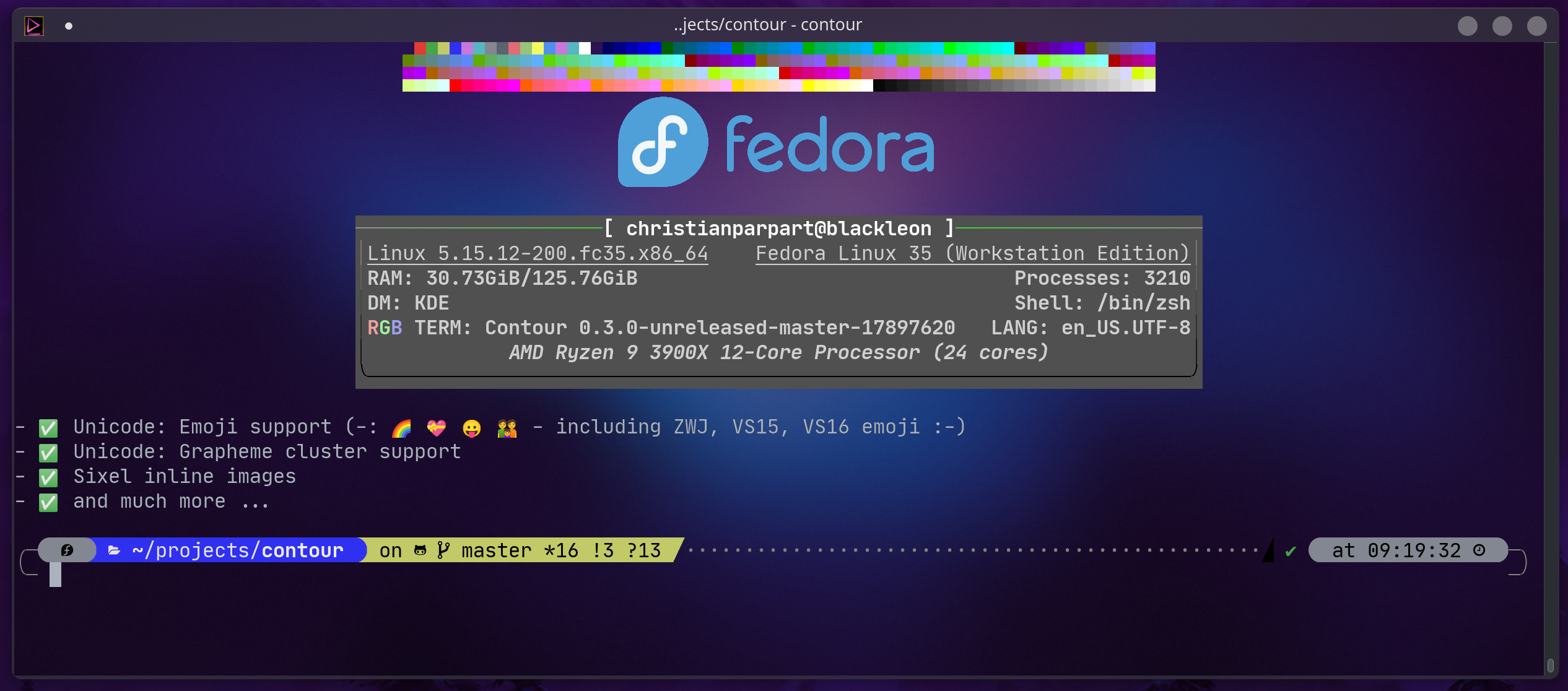
Modal? The various input modes. Think of them as if you're using vi/vim, except that it's a terminal. Insert mode is just like every other terminal. Press Ctrl+Shift+Space to move to normal mode (configurable) and use many of the vim motions you know to navigate through your history. The supported keys go way beyond what Termite and Alacritty implement. You might find that you'll never need a mouse again (or almost never). For anything that's missing, please file a ticket, and we're going to work on that.
> Certainly I’ve wished the things I run in it were faster, but that’s a different story.
I absolutely agree. Most of the performance metrics that people talk about is beyond visual perception anyways. In Contour we've only done some optimizations the way we did it because it was actually fun to implement, and a nice little challenge.
While I myself feel like i'm pretty much hard-lining into the terminal, I accept that some things are better left to the GUI world, e.g. daily web-browsing I should not be forced to use w3m or the likes. :)