Icdiff: side-by-side command line diffs(jefftk.com)
jefftk.com
Icdiff: side-by-side command line diffs
http://www.jefftk.com/icdiff
16 comments
I use http://meldmerge.org and besides syntax coloring it has filters for comments and whitespace, a 3 way file compare and folder compare that is very useful to see changes between code updates.
meldmerge is great! But I also want something I can use on the command line.
Meld is the best diff/merge tool I have tried. But it relies on GTK, which relies on X, which looks terrible on Mac with retina screen.
Clearly the problem here does not lie with Meld.
I don't think netheril96 blamed Meld at all. Nor OS X.
Most of the time I use vimdiff to diff 2 files. Also allows you to push/pull differences from one buffer to another.
Vimdiff also support 3-way diffs.
Git integration with fugitive is also worth mentioning. It makes partial committing and cherry picking very easy.
Either way, icdiff looks very promising.
Git integration with fugitive is also worth mentioning. It makes partial committing and cherry picking very easy.
Either way, icdiff looks very promising.
GNU diff has the -y option that already does side-by-side diffs; I'm a bit surprised that it doesn't do colouring already.
I've used that a lot over the years ..and wished the same thing. hell, less can even do color with -R
Just use colordiff, `colordiff -y`works perfectly fine.
"colordiff -y" colors whole changed lines: http://www.jefftk.com/icdiff-vs-colordiff-y-2x.png
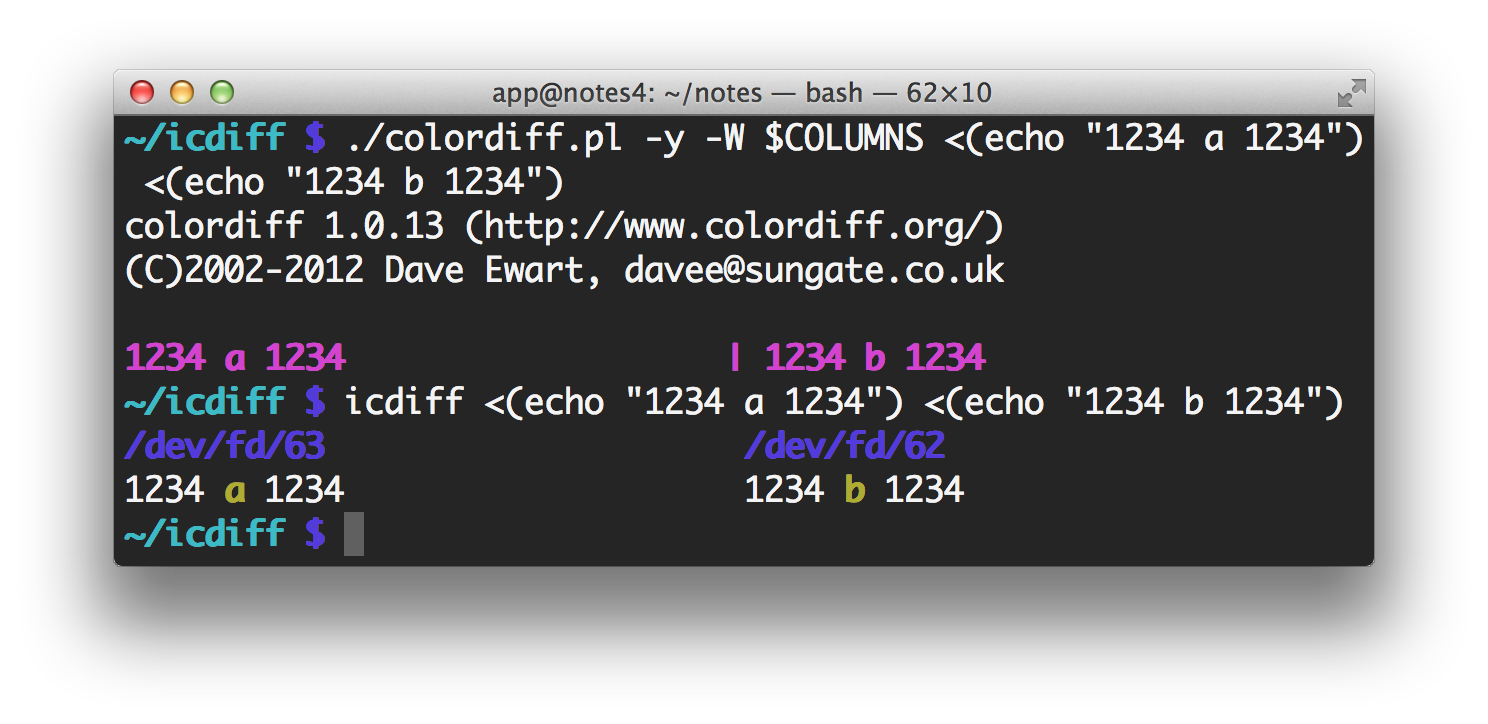
A picture is perhaps worth at least a few hundred words...
http://i.imgur.com/VOlbMoy.png
icdiff seems to have the best defaults for me.
http://i.imgur.com/VOlbMoy.png

icdiff seems to have the best defaults for me.
Not for a side-by-side diff, but I just use this for color diffs:
    cdiff() {
      diff -u "$@" \
        | sed 's/^\(@@ .* @@\)$/'$'\e[36m''\1'$'\e[m''/g' \
        | sed 's/^\(-.*\)$/'$'\e[31m''\1'$'\e[m''/g' \
        | sed 's/^\(+.*\)$/'$'\e[32m''\1'$'\e[m''/g' \
        | less -c -R
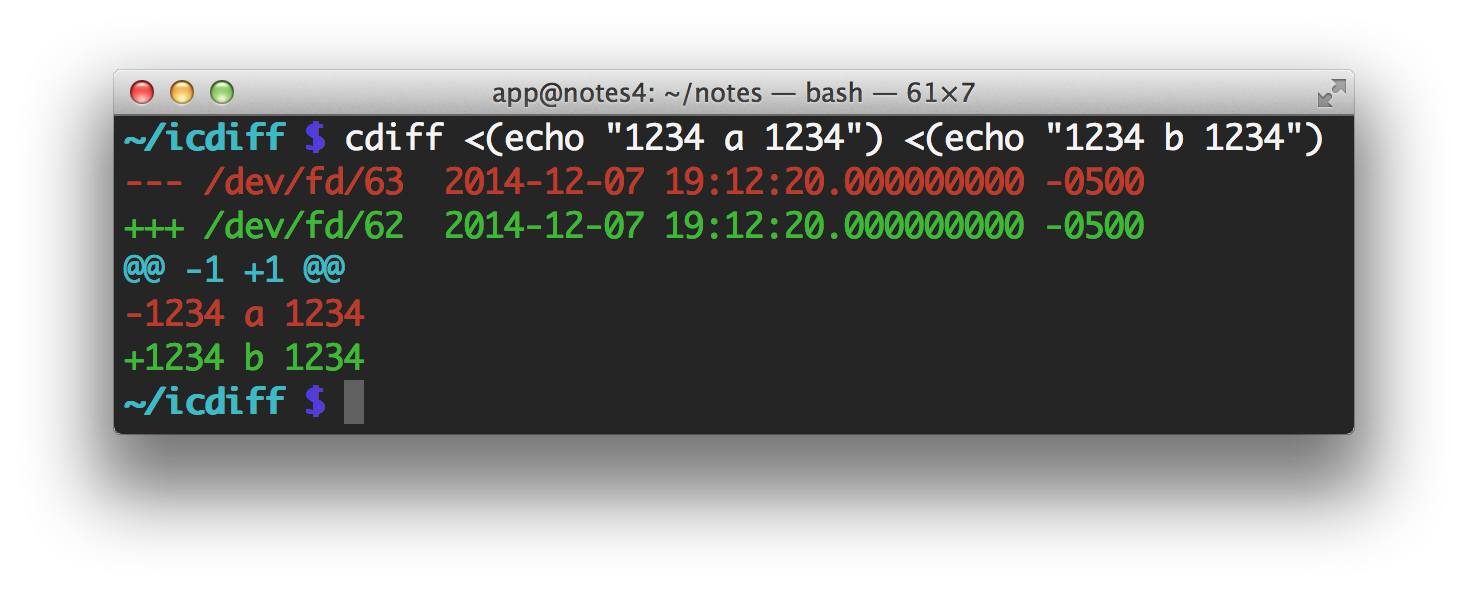
}Your cdiff colors lines by whether they're added or removed: http://www.jefftk.com/cdiff-shell-function-2x.png
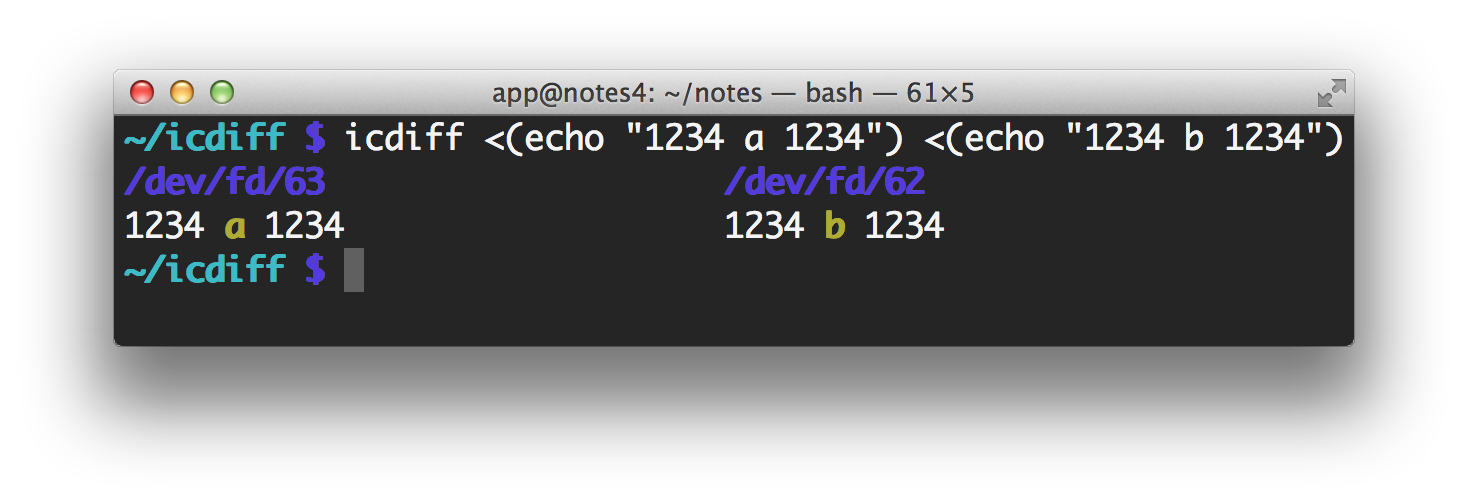
icdiff colors just the part of the line that changed: http://www.jefftk.com/icdiff-comparison-1234a1234.png
icdiff colors just the part of the line that changed: http://www.jefftk.com/icdiff-comparison-1234a1234.png
So much time would be saved if ppl did a google search before writing tools :) (its fine to reimplement, test, learn etc. But sometimes I really wonder ;)
Before I wrote this, back in 2009 [1], I looked for existing tools that would do this already. I found colordiff and cdiff, but neither of them would highlight the parts of lines that had changed. Not finding anything that did what I wanted, I wrote something.
[1] http://www.jefftk.com/p/introducing-icdiff
[1] http://www.jefftk.com/p/introducing-icdiff
contributing to something seems like a better effort, tho.
You would think that would be a solution, but sometimes learning to use a tool is about as hard as writing the tool yourself. (And in a few special cases, it's even more difficult!)
Not that this applies here, but it is something to consider.
Not that this applies here, but it is something to consider.
This is great, is there a way to use it with Git?
Edit: It also pains me that this is not the default (or one of the two default) diff views almost anywhere. The best diff I've used was in Phabricator. But Google, Github and Git don't have a support for side-by-side diffs, which I'd argue are the best view in 90% of incremental changes.
Edit: It also pains me that this is not the default (or one of the two default) diff views almost anywhere. The best diff I've used was in Phabricator. But Google, Github and Git don't have a support for side-by-side diffs, which I'd argue are the best view in 90% of incremental changes.
Yes. In the repo there is a file 'git-icdiff' which runs the following command:
In general, you can use git-difftool in conjunction with your diff displayer of choice.
git difftool --no-prompt --extcmd icdiff "$@"
In general, you can use git-difftool in conjunction with your diff displayer of choice.
Github implemented split diff 3 months ago: https://github.com/blog/1884-introducing-split-diffs
GitHub added added "split diffs" in September: https://github.com/blog/1884-introducing-split-diffs
Hmm, seems I was overly optimistic. This fails with two words only on one line, highlights the words "red" and "blue" as being composed of each other and so on. Back to
git difftool --color-words
git difftool --color-words
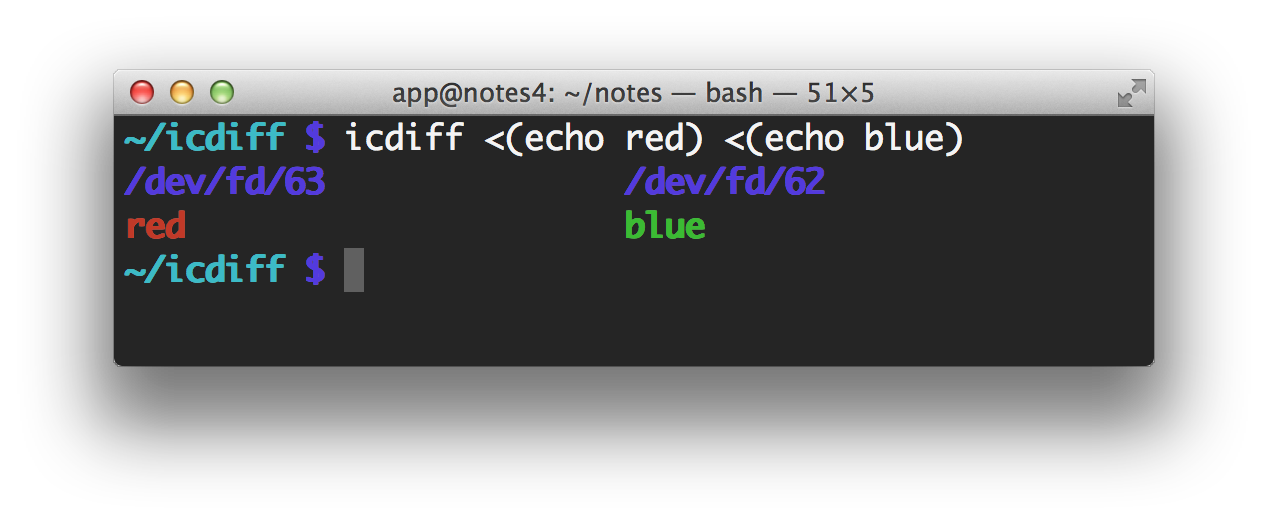
Sorry, could you give an example input icdiff performs poorly on? I just tried it on "red" and "blue", and got http://www.jefftk.com/icdiff-red-blue-2x.png which seems pretty reasonable to me.
Very cool! I love tools that provide better UX around diff - that show not just the shortest possible edit script, but a more human-readable output of what has actually changed. I've been prototyping some ideas in a web app: http://diff.so.
FWIW, with emacs you can use ediff and then type '|' to change to a side-by-side view.
ediff will also work with SCM (git, svn, etc.) as well.
ediff will also work with SCM (git, svn, etc.) as well.
This is a great tool. I work on Unix (without X) from Windows and so often have to ftp files about just to use Meld, which is my usual preferred diff tool.
But I can use icdiff in a PuTTY session with a coloured xterm and get a sensible and clear diff comparison.
Thanks! I really appreciate this!
But I can use icdiff in a PuTTY session with a coloured xterm and get a sensible and clear diff comparison.
Thanks! I really appreciate this!
Another suggestion, if you haven't ruled it out.
I enjoy using console vimdiff in PuTTY, because my configuration allows quick navigation without too much thought.
The accumulated time for starting vim can become annoying when iterating over many files. (I could investigate loading diff pairs into tabs if I was sufficiently bothered.)
Helpful .vimrc settings:-
Firstly, map some keys to navigate to preceding/successive differences...
I enjoy using console vimdiff in PuTTY, because my configuration allows quick navigation without too much thought.
The accumulated time for starting vim can become annoying when iterating over many files. (I could investigate loading diff pairs into tabs if I was sufficiently bothered.)
Helpful .vimrc settings:-
Firstly, map some keys to navigate to preceding/successive differences...
  " Next/ previous diff (analogous to j/k, use the same fingers)
  nmap <F6> ]czt
  nmap <F7> [czt
  " Diff update, i.e. repaint the screen when needed
  nmap <F5> :diffupdate<CR>

  " Get from Buffer 1/ 2/ 3/ 4
  nmap <F1> :diffget 1<CR>
  nmap <F2> :diffget 2<CR>
  nmap <F3> :diffget 3<CR>
  nmap <F4> :diffget 4<CR>
  " Apply window-local settings to all diff windows
  au! FilterWritePost * if &diff | set wrap | set foldcolumn=0 | set nofoldenable | endif
  " Override the diff colours
  highlight DiffAdd term=reverse cterm=NONE ctermbg=darkblue ctermfg=white
  highlight DiffDelete term=reverse cterm=NONE ctermbg=black ctermfg=blue
  highlight DiffChange term=reverse cterm=NONE ctermbg=darkgray ctermfg=white
  highlight DiffText term=reverse cterm=bold ctermbg=brown ctermfg=white
It costs a few bucks but BeyondCompare http://www.scootersoftware.com/ is the best differ I've used. It's not terminal based, but is supported on Windows, Mac, and Linux.
When normal “diff” is not clear enough, I use Emacs and its built-in M-x ediff-files (or -buffers). It switches to side-by-side view with the “|” key.
I would suggest highlighting the line that changed as well, with a subtle background color.
I mostly use GitGutter, a Sublime Text plugin that puts a symbol in the "gutter" (line numbers column) to indicate which lines changed, where one was deleted or where one was added. It works only on git repositories, though.
I mostly use GitGutter, a Sublime Text plugin that puts a symbol in the "gutter" (line numbers column) to indicate which lines changed, where one was deleted or where one was added. It works only on git repositories, though.
Unfortunately "subtle" isn't really an option when working with standard terminal colors. There are only eight colors, and on most terminals it would be fair to describe all of them as "garish".
A gutter symbol would be an option, though.
A gutter symbol would be an option, though.
That's a fair point. I did not consider the limited range of colours on most terminals.
Bold text might also be an option, though it wouldn't immediately distinguish between added and removed characters.
Bold text might also be an option, though it wouldn't immediately distinguish between added and removed characters.
The unfortunately named cdiff does this, I believe.
https://github.com/ymattw/cdiff
https://github.com/ymattw/cdiff
Neat and useful. It reminds me of similar work I've done before at https://github.com/shurcooL/Conception-go/commit/02c5b49187d....
Had a quick try, looks awesome. it's quicker to do this on command line than vimdiff sometimes.
I use meld for GUI and noticed it's not 100% accurate, sometimes they can not tell if two files are different, which is odd.
I use meld for GUI and noticed it's not 100% accurate, sometimes they can not tell if two files are different, which is odd.
I've been using `dwdiff -c`, which admittedly doesn't do side-by-side: http://linux.die.net/man/1/dwdiff
There's also http://www.colordiff.org/
colordiff looks like: http://www.colordiff.org/screen2.jpg
It's just coloring the standard diff output so lines starting with > or + are yellow and ones starting with < or - are green. This is also what "git diff" does by default: http://www.jefftk.com/git-diff-color-2x.png
icdiff is doing a side-by-side diff, and it's only coloring the changed sections of lines: http://www.jefftk.com/icdiff-side-by-side-2x.png
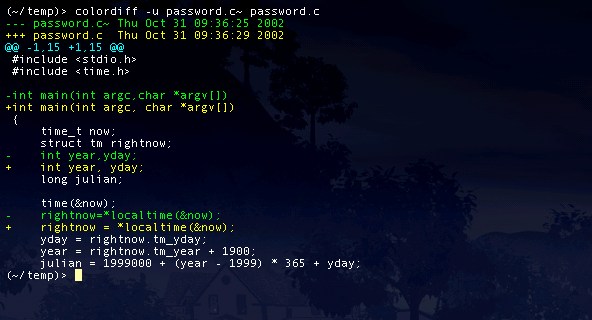
It's just coloring the standard diff output so lines starting with > or + are yellow and ones starting with < or - are green. This is also what "git diff" does by default: http://www.jefftk.com/git-diff-color-2x.png
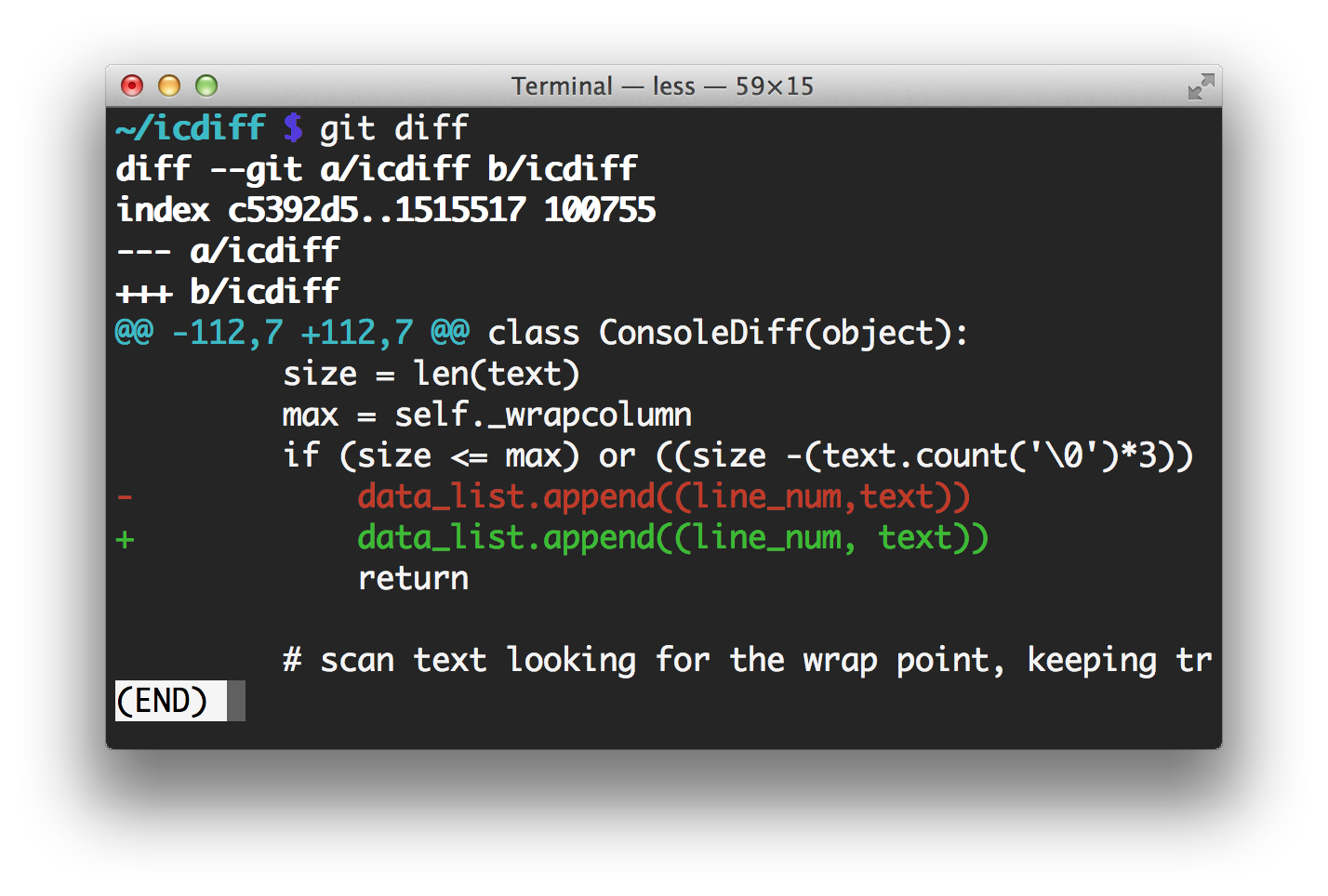
icdiff is doing a side-by-side diff, and it's only coloring the changed sections of lines: http://www.jefftk.com/icdiff-side-by-side-2x.png
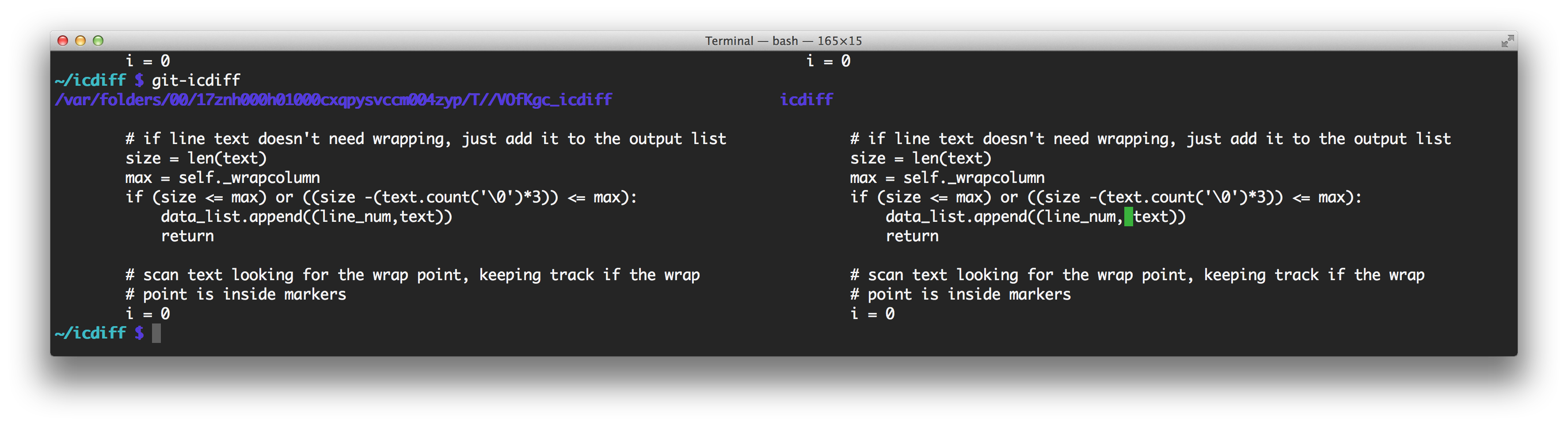
Not all that different than what you can achieve with git diff --color-words
Example: http://i.imgur.com/smubTnH.png
Example: http://i.imgur.com/smubTnH.png

git diff --color-words is good. Here's what that looks like on the same file: http://www.jefftk.com/diff-color-words-2x.png
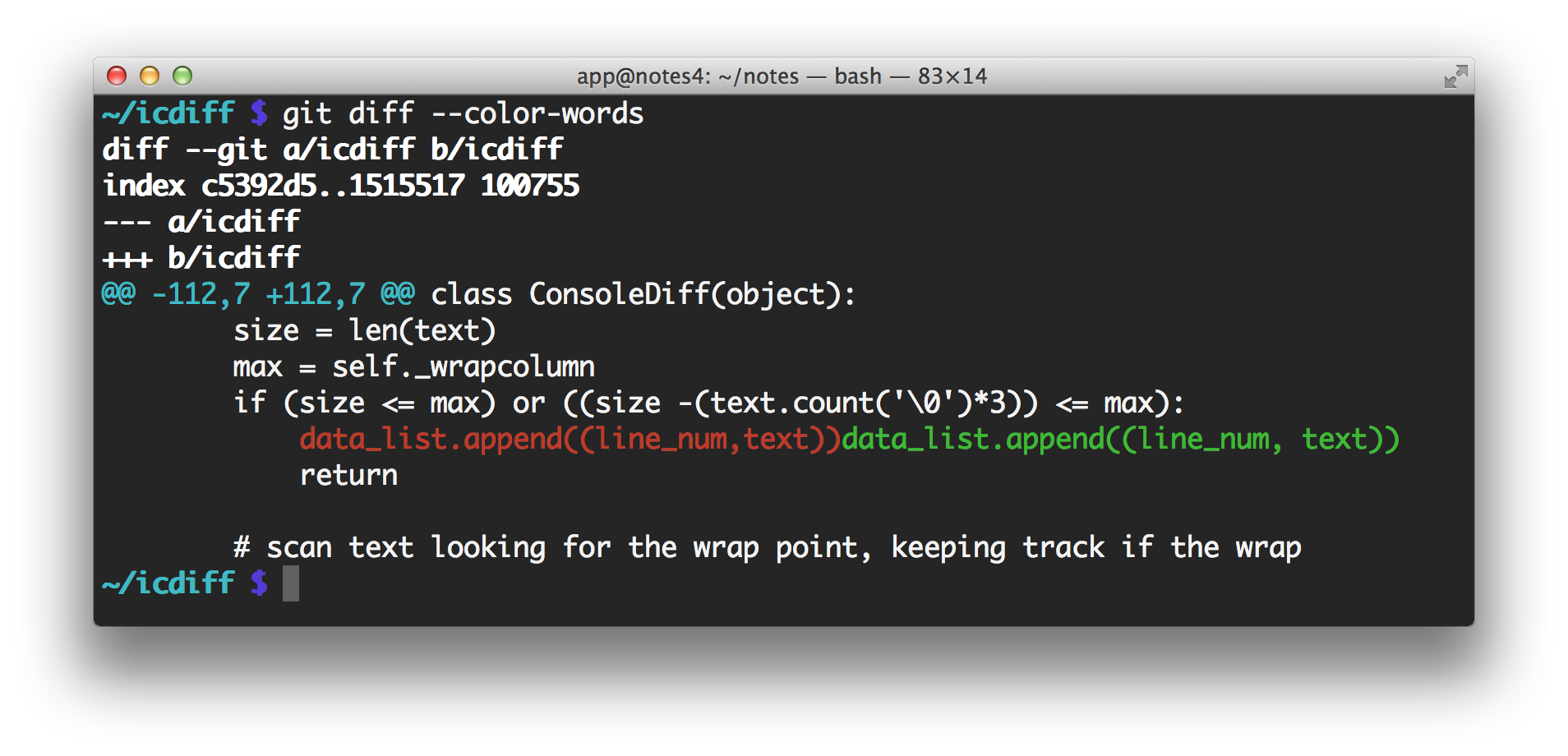
It doesn't seem to be side by side, while icdiff is. Colors by themselved are not an issue as git supports it natively.
Have I miseed something?
edit: fix typo
Have I miseed something?
edit: fix typo
diff -y is side-by-side. As far as I know colordiff does per-line coloring, while icdiff seems to have finer granularity. This dude really should have patched colordiff, though. Or just used emacs.
colordiff is just a perl script to colorize diff's output. Patching it to add support for the kind of coloring I want to do here would be a lot of work.
As for using emacs, there are many cases when I want a stand-alone diff tool.
As for using emacs, there are many cases when I want a stand-alone diff tool.
Wow, all these years and I haven't known about diff -y. Thanks.
One more called cdiff: https://github.com/ymattw/cdiff
(works with repositories; not a general diff replacement.)
(works with repositories; not a general diff replacement.)
This is a great little gem! It will replace colordiff in my scripts.