That’s interesting to hear as for me Claude has been quite good about writing code that fails fast and loud and has specifically called it out more than once. It has also called out code that does not fail early in reviews.
> I feel like you can't really be considered a staff/principal if you can't already tell ahead of time where the perf bottleneck will be just on experience and intuition.
I feel like you can’t really be considered a Dunning-Kruger if you can’t already tell ahead of time where the perf bottleneck will be just on experience and intuition.
I imagine personal trainers and childcare workers would see a drop in demand and perhaps also an increase in supply if a bunch of people suddenly lost their jobs to AI.
Nice! The visualization makes it easy to compare when cities are in the same hemisphere. It would be cool if there was an option to align the seasons when comparing cities in different hemispheres.
Nice observation ;-) If I'm reading the underlying data[0] correctly, it looks like the threshold for DEHT is significantly lower in the Vanilla tests (<4,500ng) vs the Strawberry tests (<22,500ng)
My experience so far has been: if I know what I want well enough to explain it to an LLM then it’s been easier for me to just write the code. Iterating on prompts, reading and understanding the LLM’s code, validating that it works and fixing bugs is still time consuming.
It has been interesting as a rubber duck, exploring a new topic or language, some code golf, but so far not for production code for me.
> and I'd love to to hunt this down and fix it but have no clue where to start. I guess the first step would be to consistently reproduce the bug...
I am not familiar with Chromium at all, and I also don't run Linux on the desktop as I'm guessing from your video you do (?) so take this with a grain of salt...
I would start looking at the focus and key event handlers. e.g. maybe log the contents of pressed_keys and/or step thru the code from the beginning of the focus handler. It looks like this might be the place:
Even if you can't repro it, you may be able to figure out the issue by just reading thru that code with some theories in mind. e.g. Since pressing another key seems to fix it, maybe look at what the code is doing there... my guess is the release event fixes whatever corrupted state it is in upon focus.
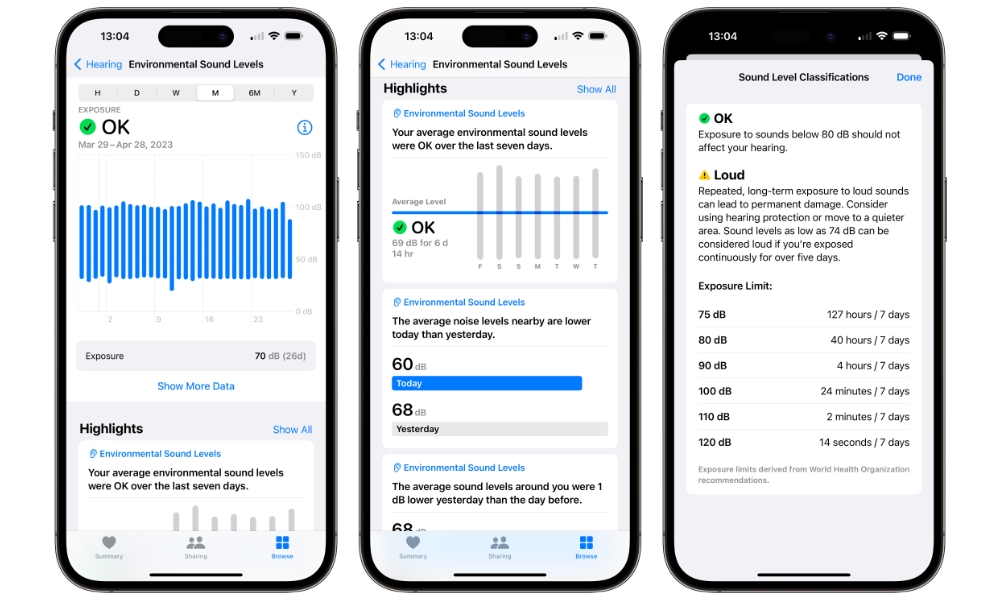
The measurements taken by the watch can be viewed over time in the Health app on iOS. Try image searching for "Environmental Sound Levels" "iOS" "Health" to get an idea of how it looks. e.g. here is a screenshot: https://www.idropnews.com/wp-content/uploads/2023/04/Apple-H...
The Apple Watch Noise app measures loud noises. The Health app on iOS has a section called Environmental Sound Levels that shows the measurements over time on a chart. This of course doesn't help if you can also hear the noises, but it sounds like that is not the case?